
How to download with max speed ?
Download form Fshare.vn, Rapidgator, Uploaded, and more with max speed.
1. LinksVIP.net
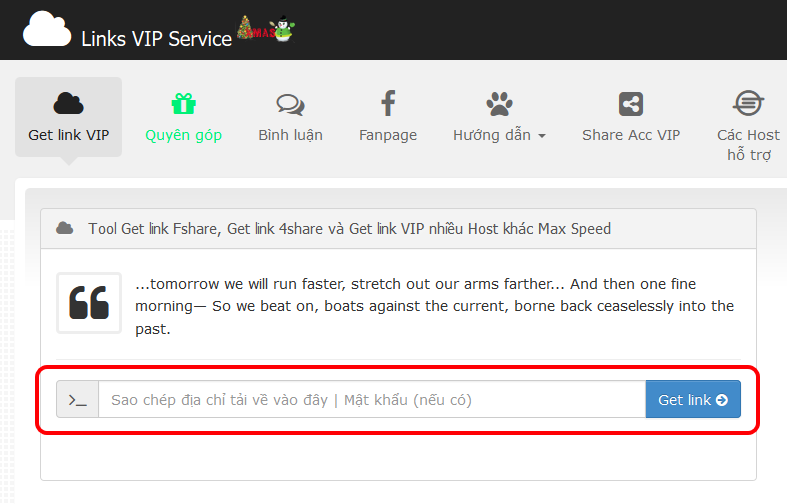
Step 2: The system will automatically get links, returns the results and automatically download.

Note: For the link requires you to add a proxy to download, you must add proxy to IDM before clicking on the file name to download.
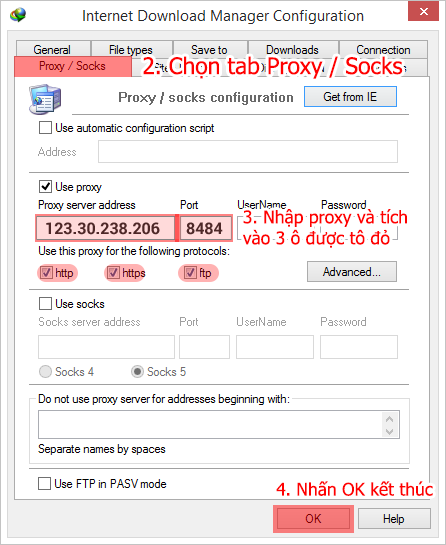
How to add the proxy to IDM to download for link PROXY:
Step 1: You open up and selected as shown IDM.
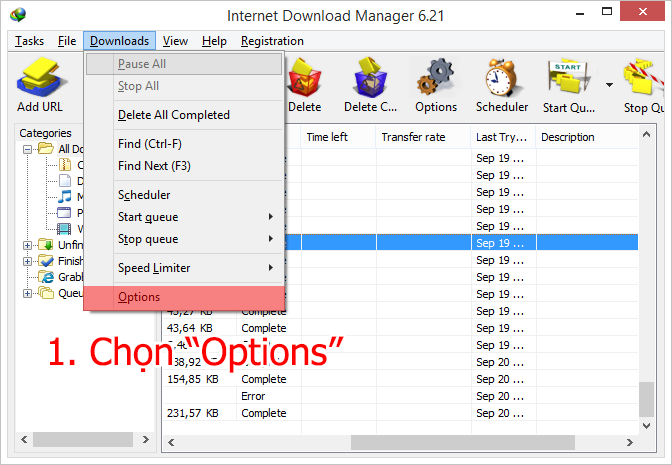
Step 2: Adding a proxy to IDM as image
Step 3: Click on the file name to download and copy the path as image.
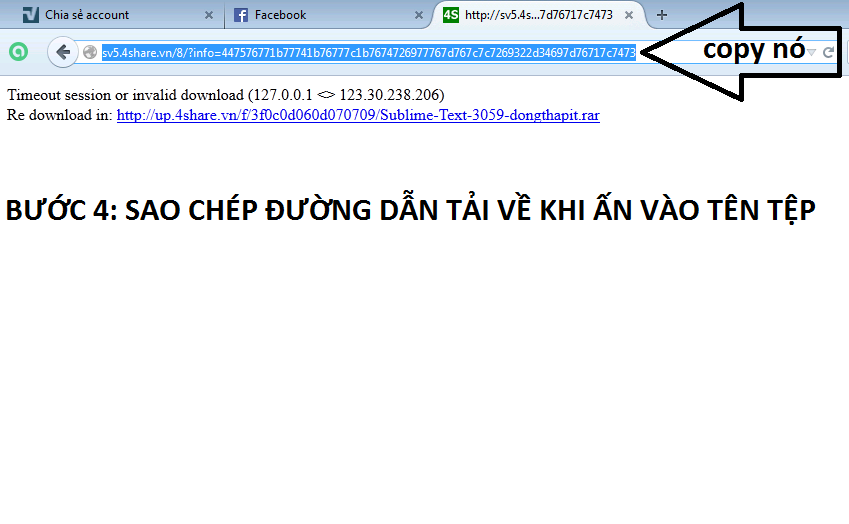
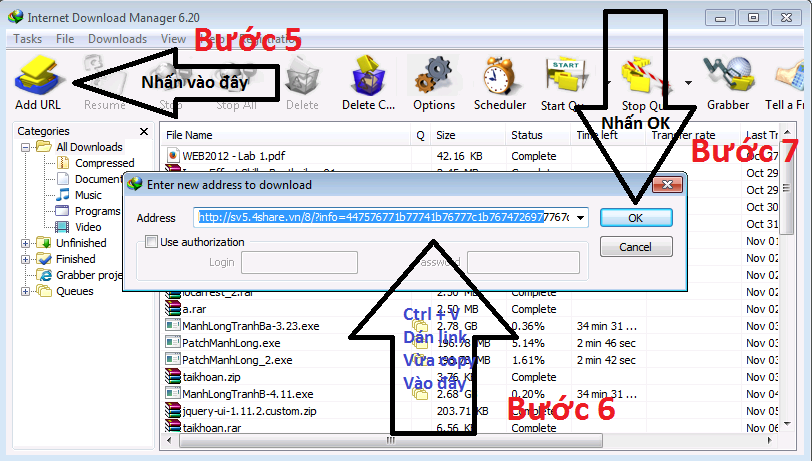
Step 4: You get copied path taken to IDM as image.
2. Linktocdo.com
Step 1: Copy the link to download and drop into the input frame as image

Step 2: Enter the password (if the file requested) and the security code shown

Step 3: After entering the complete data link you click get and wait for results from the system

Step 4: receive the results from the system

Note: for those links require you to add a proxy to download, you must add proxy to IDM before clicking on the file name to download. Further Guidance proxy viewed above.
3. Cbox Get Link
How to use Cbox?
Step 1: Registered.

Step 2: Enter name, password, verify captcha and click register. ( Without confirmation email)

Step 3: Enter " name" in the box 1, click on " login", then type password in the box 4 and click " Login".

Step 4: Check in " Smart check link" ( or " Auto check link , etc.. in orther Cbox).
Copy and Paste link into the " messenger" box, click " Go" or hit enter.
Note: If Cbox isn't have function " smart check link", click " Link Checker" ( Or other similar words in other Cbox), and do as image. Waiting for result.


Other Cbox may be have other interfaces but similar practices
Cbox can support more host: Rapidgator, Uploaded, ... Readmore in the Cbox.
How to download with max speed ?
 Reviewed by Anonymous
on
10/02/2015 01:05:00 PM
Rating:
Reviewed by Anonymous
on
10/02/2015 01:05:00 PM
Rating:
Reviewed by Anonymous
on
10/02/2015 01:05:00 PM
Rating:


No comments: